> ## Documentation Index
> Fetch the complete documentation index at: https://docs-staging-docs-ia-custom-database-connections.mintlify.site/llms.txt
> Use this file to discover all available pages before exploring further.

> Learn how to configure your JWT Connection to sign, verify or decode JSON Web Tokens.

# JWT Vault Connection

## Configure your JWT Vault connection

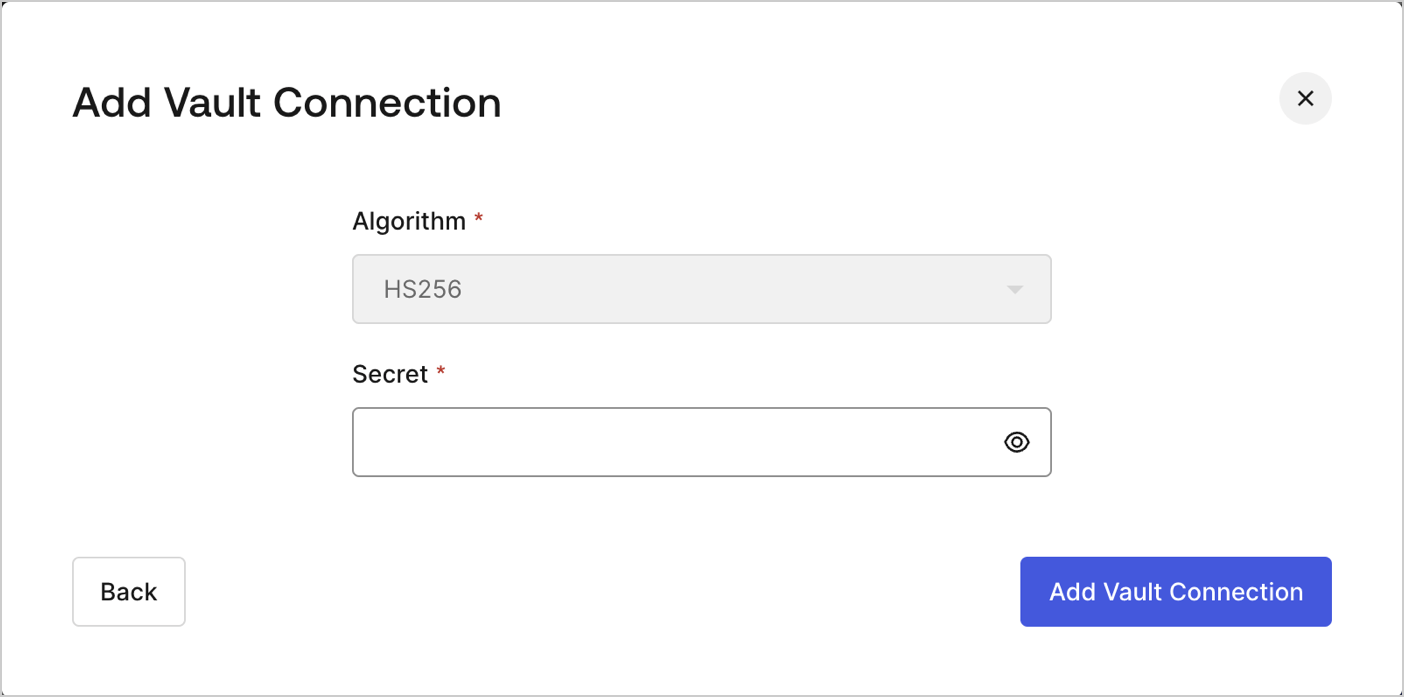
To configure an JWT Vault Connection for your Flows JWT Actions to sign, decode, and verify JSON Web Tokens, you need to set the required parameters.
<Frame>
  <img src="https://mintcdn.com/docs-staging-docs-ia-custom-database-connections/fAqcvIZzRUvnc_CG/docs/images/customize/forms/vaults/jwt-vault-connection.png?fit=max&auto=format&n=fAqcvIZzRUvnc_CG&q=85&s=72ca32b7114d3d5b22eba5864f561a81" alt="Dashboard > Actions > Forms > Vault > JWT" data-og-width="1404" width="1404" data-og-height="697" height="697" data-path="docs/images/customize/forms/vaults/jwt-vault-connection.png" data-optimize="true" data-opv="3" srcset="https://mintcdn.com/docs-staging-docs-ia-custom-database-connections/fAqcvIZzRUvnc_CG/docs/images/customize/forms/vaults/jwt-vault-connection.png?w=280&fit=max&auto=format&n=fAqcvIZzRUvnc_CG&q=85&s=5b30b19d755e717190fa9f07994975e3 280w, https://mintcdn.com/docs-staging-docs-ia-custom-database-connections/fAqcvIZzRUvnc_CG/docs/images/customize/forms/vaults/jwt-vault-connection.png?w=560&fit=max&auto=format&n=fAqcvIZzRUvnc_CG&q=85&s=625a3dcb802c4f011a85a316bbffd593 560w, https://mintcdn.com/docs-staging-docs-ia-custom-database-connections/fAqcvIZzRUvnc_CG/docs/images/customize/forms/vaults/jwt-vault-connection.png?w=840&fit=max&auto=format&n=fAqcvIZzRUvnc_CG&q=85&s=ba8a2a7c6d2918aacd027c68152703bd 840w, https://mintcdn.com/docs-staging-docs-ia-custom-database-connections/fAqcvIZzRUvnc_CG/docs/images/customize/forms/vaults/jwt-vault-connection.png?w=1100&fit=max&auto=format&n=fAqcvIZzRUvnc_CG&q=85&s=1da9da4272437afcc8a247b0e6f6d145 1100w, https://mintcdn.com/docs-staging-docs-ia-custom-database-connections/fAqcvIZzRUvnc_CG/docs/images/customize/forms/vaults/jwt-vault-connection.png?w=1650&fit=max&auto=format&n=fAqcvIZzRUvnc_CG&q=85&s=e1caf5cea6ba306040c01a733e0daa8c 1650w, https://mintcdn.com/docs-staging-docs-ia-custom-database-connections/fAqcvIZzRUvnc_CG/docs/images/customize/forms/vaults/jwt-vault-connection.png?w=2500&fit=max&auto=format&n=fAqcvIZzRUvnc_CG&q=85&s=e15fd37a55cd453999df31a115afa4e4 2500w" />
</Frame>

## Input settings

| Parameter | Description                                                 |
| --------- | ----------------------------------------------------------- |
| Secret    | Secret to be used in the HS256 algorithm to encode the JWT. |
